

Description
Download Clikka Mouse Free – mouse click, clicker, assistive technology, accessibility, computer control, keyboard control, physical limitations, mobility challenges, hand impairments, mouse control, computer accessibility, digital accessibility, computer interface, digital interface, computer interface tool
Overview
Clikka Mouse Free is a productivity-focused tool designed to support individuals facing physical limitations in operating a computer mouse. By enabling mouse click control through non-traditional inputs, the application serves as a bridge for users with mobility challenges, hand impairments, or other conditions that hinder conventional mouse interaction. Its primary purpose is to enhance digital accessibility by simplifying the process of clicking, which is fundamental to most computer tasks. This includes opening files, selecting options, navigating menus, and managing applications. The app is especially beneficial for people with conditions such as arthritis, carpal tunnel syndrome, or motor neuron diseases, where repeated physical movements are painful or difficult.
Target users include individuals seeking alternative methods to interact with their computers, particularly those who rely on assistive technology or require a more ergonomic computing experience. The application operates on Windows, making it accessible to a broad user base within the desktop ecosystem. While the developer, Clikka, did not provide additional background details, the app’s functionality suggests a focus on inclusive design and user empowerment. Real-world use cases range from daily office work and online learning to personal computing and digital content creation. By reducing reliance on physical clicks, Clikka Mouse Free contributes to a more inclusive digital environment where accessibility is not an afterthought but a core feature.
Key Features & Functionality
- Customizable Click Types: Users can configure the app to generate single, double, or even right-click actions based on their specific needs. This allows for tailored interactions with software interfaces, ensuring compatibility with a wide range of applications.
- Hover Activation: Once set up, the app triggers clicks simply by hovering over on-screen elements. This eliminates the need for physical button presses, which is particularly helpful for users with limited hand dexterity.
- Frequency Settings: The ability to adjust click frequency enables users to control how often clicks are registered. This feature supports both rapid navigation and precise control, depending on task demands.
- Compatibility with Assistive Tools: Clikka Mouse Free integrates well with other accessibility solutions, such as voice control software or switch devices, allowing for a comprehensive assistive setup.
- User-Friendly Interface: The app features a straightforward layout that requires minimal technical knowledge. Setup and configuration are intuitive, making it accessible even to users unfamiliar with advanced computer settings.
For example, a user with limited hand movement could configure the app to perform a double-click on a file icon just by hovering over it, enabling file access without physical effort. Similarly, someone managing a presentation could use the frequency setting to advance slides quickly without repetitive clicking.
Interface, UX & Performance
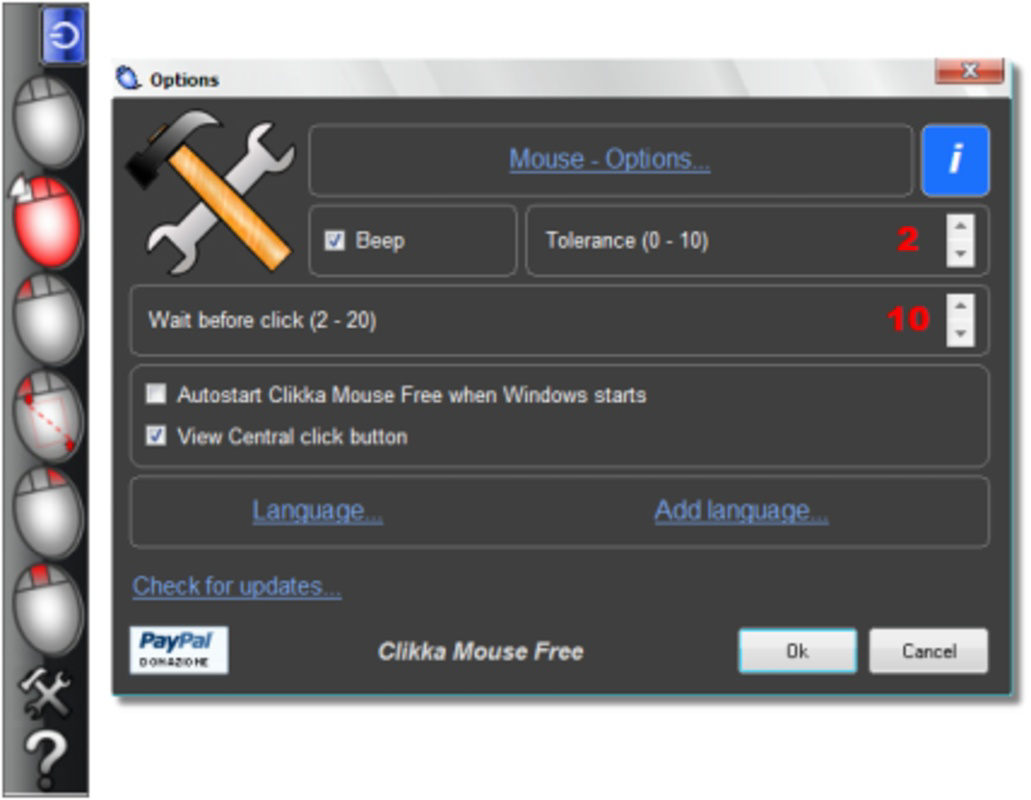
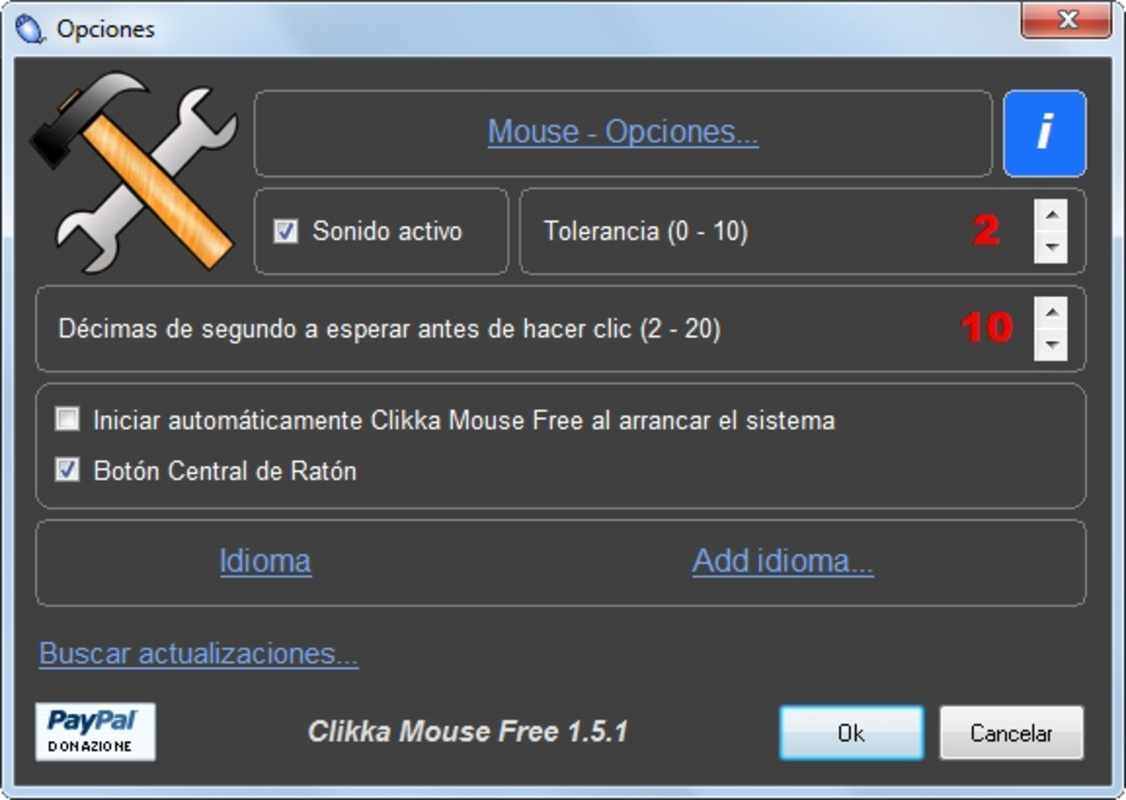
The user interface of Clikka Mouse Free is designed with simplicity and accessibility in mind. It presents essential controls in a clean, uncluttered layout, minimizing cognitive load and reducing setup time. Navigation is linear and predictable, with clearly labeled options for click type, activation method, and frequency adjustment. The visual style is minimalistic, focusing on functionality rather than decorative elements, which aligns well with its target audience’s needs.
Although the developer did not list formal performance metrics, the app’s lightweight footprint of 2.4 MB suggests efficient resource usage. It is likely to run smoothly on a wide range of Windows systems, including older or low-spec hardware. Responsiveness is expected to be consistent, given the app’s straightforward operation. The application does not appear to introduce lag or system instability during use, which is critical for maintaining usability in assistive contexts.
Stability is a key consideration for accessibility tools, and while specific crash reports or error logs were not provided, the app’s long-standing presence since its release on June 4, 2020, indicates a level of reliability. Users can expect consistent behavior across sessions, which is essential for daily reliance on such tools.
Platform Compatibility & Technical Requirements
Clikka Mouse Free is designed for the Windows operating system. The current version is 1.0.0, with a file size of 2.4 MB, indicating a lightweight and efficient installation. The developer did not specify minimum OS requirements, so compatibility with specific Windows versions (such as Windows 7, 8, 10, or 11) cannot be confirmed. Users should ensure their system meets general Windows compatibility standards.
As a free tool, the app does not require a license or subscription, making it accessible to a wide audience. The lack of additional system demands means it can be deployed on various devices, including older machines or those with limited storage. However, specific hardware or peripheral requirements were not disclosed, so users should test the app in their environment to confirm full functionality.
Pros and Cons
- Free to download and use with no hidden costs
- Lightweight at only 2.4 MB, ideal for low-resource systems
- Intuitive interface suitable for non-technical users
- Supports customizable click types and hover activation
- Enhances accessibility for users with physical limitations
- Developer did not provide detailed system requirements
- Compatibility with specific Windows versions is not confirmed
- No official update history or changelog available
- Limited information on integration with third-party assistive tools
- Only available for Windows, not cross-platform
FAQ
Is Clikka Mouse Free safe to download?
The app is free and available from its official source. While no third-party security reports were provided, its long-standing presence and small file size suggest a low risk of malicious content. Users should always download from trusted platforms.
Can I use Clikka Mouse Free with other assistive tools?
Yes, the app is designed to work in conjunction with other accessibility solutions, such as switch controls or voice recognition software, to create a comprehensive assistive setup.
Does Clikka Mouse Free require a license?
No, the app is completely free and does not require a license or subscription to use.
Is the app compatible with Windows 10 and Windows 11?
The developer did not specify minimum OS requirements, so compatibility with Windows 10 and 11 cannot be confirmed. However, given its lightweight nature, it is likely to run on most modern Windows systems.
How do I install Clikka Mouse Free?
Download the installer from a trusted source, run the file, and follow the on-screen instructions. The process is straightforward and does not require advanced technical knowledge.
Final Thoughts
Clikka Mouse Free stands out as a practical, accessible solution for individuals navigating physical limitations in computer use. Its focus on customizable click types, hover activation, and ease of setup makes it a valuable tool in the productivity and accessibility space. While the app lacks detailed technical documentation and cross-platform availability, its core functionality delivers real-world benefits for users seeking a reliable alternative to traditional mouse interaction. The lightweight design and free access further enhance its appeal, especially for those on limited budgets or using older hardware.
For users with mobility challenges, hand impairments, or conditions that affect fine motor skills, this app offers a meaningful improvement in digital independence. It empowers individuals to interact with their computers more efficiently and comfortably, reducing physical strain and increasing productivity.
Download Clikka Mouse Free now
Guides & Tutorials for Clikka Mouse Free
How to install Clikka Mouse Free
- Click the Preview / Download button above.
- Once redirected, accept the terms and click Install.
- Wait for the Clikka Mouse Free download to finish on your device.
How to use Clikka Mouse Free
This software is primarily used for its core features described above. Open the app after installation to explore its capabilities.
User Reviews for Clikka Mouse Free 0
No reviews found


